Give guests the details paper menus cannot fit — dish photos, allergen info, dietary tags, and organized categories — all editable from your dashboard.
The problem
Flat paper menus force trade-offs: either cram too much text or leave out photos, allergens, and modifiers. PDF menus are hard to update and even harder to read on a phone.
How seeQRmenu helps
seeQRmenu gives you structured menu items with photos, rich descriptions, dietary tags, and nested categories. Guests browse a visual menu designed for decision-making at the table.
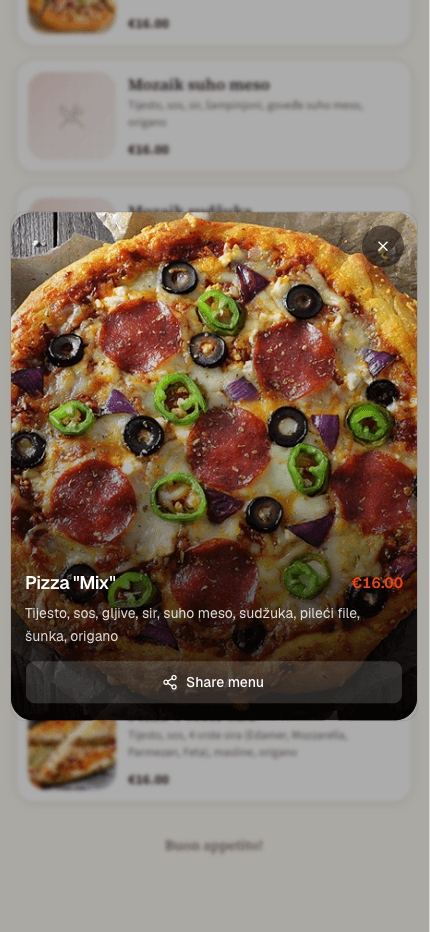
Add hero images per item so guests know exactly what they are ordering. Update photos seasonally without redesigning a PDF.
Flag gluten-free, vegan, nuts, and other allergens. Help guests with restrictions browse confidently.
Structure menus by course, cuisine, or service period. Collapse long lists into scannable sections.
Set up sections like Starters, Mains, Desserts, or Drinks to match how your kitchen runs.
Name, description, price, photo, and tags for each dish. Duplicate items to speed up data entry.
Your QR menu reflects the full structure instantly. Guests tap categories and scroll rich item cards.
A guest with a nut allergy filters visually for tagged items instead of interrogating the server mid-order.
Swap spring dishes for summer specials with new photos and descriptions — no graphic designer required.
Send us your current menu and we will prepare a personalized preview using your logo, colors, and a selection of your actual items.
No commitment. No payment details required for the demo.