Stop reprinting menus every time a dish sells out or a price changes. Update once in your dashboard; every table sees the latest version on the next scan.
The problem
Paper menus and PDF uploads go stale the moment something changes. Reprints cost money, take days, and still leave you with outdated copies mid-service when you sell out of a dish or adjust pricing for happy hour.
How seeQRmenu helps
seeQRmenu connects your dashboard directly to the guest menu. Save a change — price, description, availability — and the live menu updates immediately for the next guest who scans.
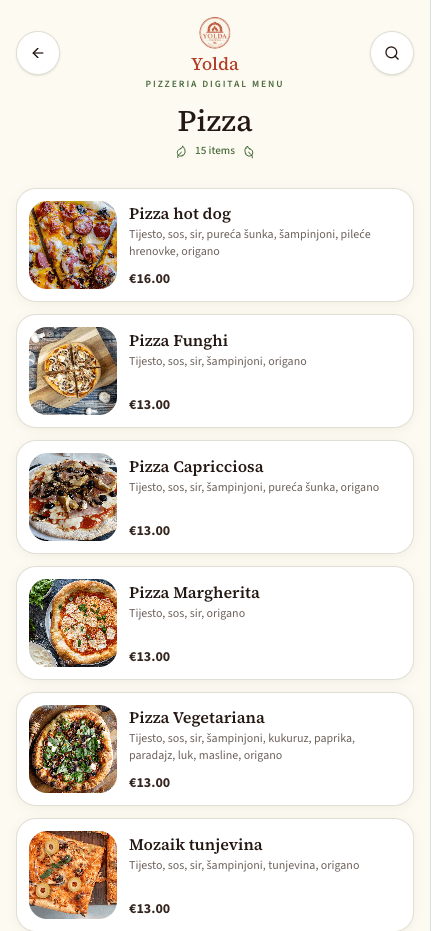
Mark items sold out during the rush without calling the printer. Hide or grey out dishes in one click.
Adjust pricing for seasonal items, happy hour, or supplier cost changes. Guests always see current prices.
No more mixed versions floating around. One source of truth synced to every QR code in your dining room.
Find the item, category, or price you need to change from the menu editor.
Edit price, description, photo, or toggle sold-out. Save — changes publish immediately.
The next time a guest scans or refreshes, they get the updated menu. No action needed at the table.
The special sells out at 12:30. Toggle it off before the next seating — no server explaining stale menu items.
Switch cocktail prices at 5 PM from your phone. Bar guests scanning after five see the correct happy hour menu.
Send us your current menu and we will prepare a personalized preview using your logo, colors, and a selection of your actual items.
No commitment. No payment details required for the demo.